What an Image to Prompt Tool Actually Measures
Twelve signals, all arithmetic over pixels — and a short list of things it refuses to guess.
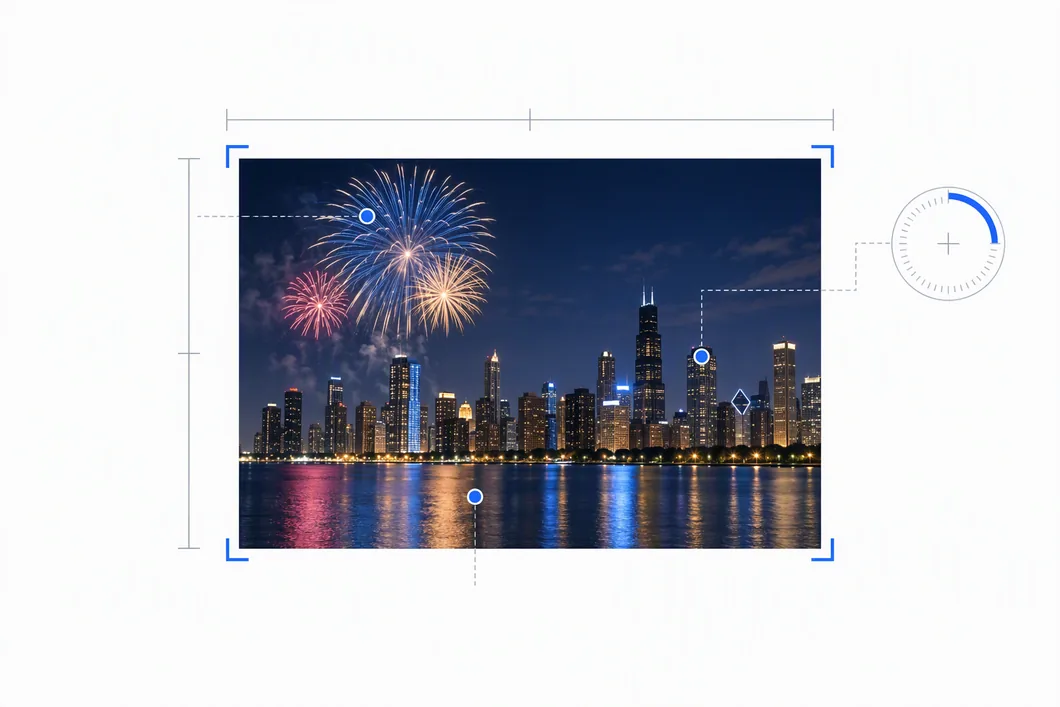
An image to prompt tool measures twelve things about your picture, and every one of them is arithmetic over pixel values — the aspect ratio, average brightness, how widely brightness spreads, average saturation, edge density, the share of near-greyscale pixels, red-minus-blue balance, centre-versus-border light, top-versus-bottom light, and a five-colour palette. Those numbers then pass through fixed thresholds and come out as phrases. That is the entire process: measure, compare against a number, emit a word.
What it does not do is recognise your subject. No faces, no people, no objects, no brands, no scenes. There is no detector behind those, and none is claimed — a prompt that confidently names a subject that is not in your picture is worse than one that stays quiet about it. And because the measurement is just arithmetic over a pixel buffer, it runs on your own device; your image is never uploaded for any of this.
The twelve signals, and how each one is computed
Every row below is a plain calculation. None of them needs a model, and none of them needs the network.
| Signal | How it is computed | Field | Status |
|---|---|---|---|
| Framing and aspect ratio | Natural width divided by natural height, reduced to a ratio | ar, arParam | measured |
| Exposure | Mean Rec. 709 luma over a 192×192 sample | meanL | measured |
| Contrast | Standard deviation of luma | stdL | measured |
| Saturation | Mean HSV saturation | meanSat | measured |
| Detail density | Mean gradient magnitude over the interior | edge | measured |
| Monochrome share | Share of pixels with saturation below 0.10 | monoRatio | measured |
| Colour temperature | Mean red minus mean blue | meanR / meanB | measured |
| Lighting distribution | Centre-region luma versus border-region luma | centreL / borderL | measured |
| Vertical lighting | Top-band luma versus bottom-band luma | topL / bottomL | measured |
| Dominant colour palette | 12-bit colour buckets merged at distance 52, then named against a 35-name palette (max 5) | palette[] | measured |
| Green or blue dominance | Share of pixels passing a channel-ratio test | greenRatio / blueRatio | inferred |
| Mood | Thresholds over the measured luma and temperature figures above | mood | derived |
| People, faces, objects, brands, scenes | No client-side detector is reliable enough to assert these | — | never claimed |
The last two rows are the important ones. Green and blue dominance is tagged inferred, not measured, and mood is derived from other numbers. Subject recognition is not attempted at all.
Real numbers from three real images
These are the actual outputs from running the analyser over three 8-bit RGB images — a night fireworks shot, a strongly backlit meadow, and a code screenshot. Every value below is measured on the 192 × 192 grid, which is what the live tool actually hands the analyser. Nothing here is rounded for presentation beyond two decimals.
| Field | night-fireworks 640×360 | strong-backlight 640×360 | text-screenshot 800×450 |
|---|---|---|---|
ar | 1.78 | 1.78 | 1.78 |
arParam | 16:9 | 16:9 | 16:9 |
meanL | 34.51 | 73.95 | 35.95 |
stdL | 46.93 | 80.36 | 13.68 |
meanSat | 0.7618 | 0.4990 | 0.2517 |
edge | 22.50 | 13.02 | 5.14 |
monoRatio | 0.0117 | 0.2016 | 0.0222 |
meanR − meanB | −43.93 | 12.38 | −9.90 |
centreL | 60.25 | 54.14 | 37.54 |
borderL | 29.58 | 77.75 | 35.64 |
topL | 43.23 | 135.77 | 35.98 |
bottomL | 25.50 | 19.39 | 34.30 |
greenRatio | 0.0013 | 0.0670 | 0.0530 |
blueRatio | 0.8640 | 0.1011 | 0.9250 |
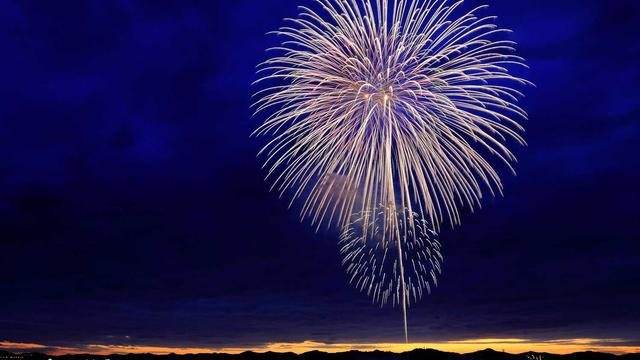
meanL 34.51, edge 22.50, blueRatio 0.8640. The palette comes back navy at 74%, with no trace of the gold and white in the bursts.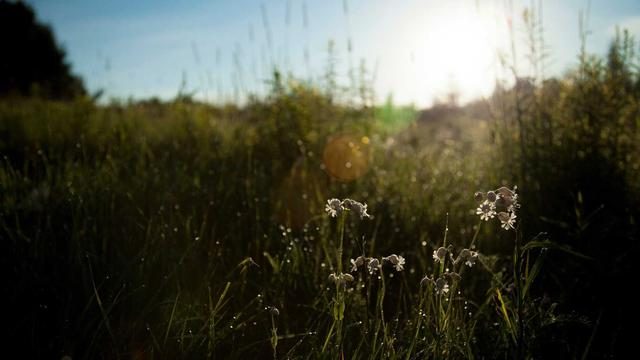
meanL 73.95, stdL 80.36, edge 13.02. Centre 54.14 against border 77.75: the backlighting is picked up, the flowers are not.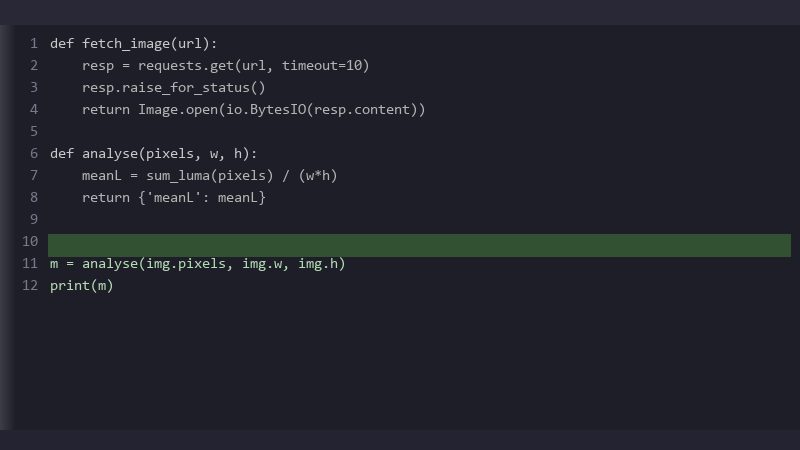
meanL 35.95, edge 5.14, monoRatio 0.0222. Ninety-two per cent of the frame lands in one colour bucket; nothing in the output describes the code.How a number becomes a word
Each measurement is compared against a fixed cut-off and swapped for a phrase. Contrast uses stdL: above 68 is high contrast, above 38 is medium contrast, anything else is soft, low contrast. Exposure uses meanL, with 175 as the bright cut-off and 130 as the balanced one. Detail uses edge: above 15 is highly detailed with intricate texture, above 7 is moderate detail and texture, below that clean and minimal, smooth surfaces. Those three ladders are part of 33 comparisons in the source; the full cut table lists every one of them, with all 40 files measured against each cut and the distance from the nearest file to flipping.
Running those thresholds over the three images above shows where each one lands:
- strong-backlight —
edgeat 13.02 against the upper cut-off of 15. Under two points short, so it reads moderate detail and texture rather than highly detailed. - text-screenshot —
edgeat 5.14 against the cut-off of 7. Below it, so it gets clean and minimal, smooth surfaces — accurate about the flat dark background, and silent about the code sitting on it. - night-fireworks —
stdLat 46.93, between the 38 and 68 cut-offs, so medium contrast. ItsmeanR − meanBof −43.93 is far past the 5 that would make it warm, so it reads cool blue colour temperature. - strong-backlight —
stdLat 80.36 against the 68 line: it clears it by 12.36, so high contrast. ItsmeanR − meanBof 12.38 is the only one of the three that comes out warm.
That is the honest picture of how an image to prompt tool behaves: the vocabulary is small, and every word in it is decided by a fixed number. On these three the margins are comfortable — the closest any value sits to a cut-off is 1.86 — so nothing flipped. The figures are not fixed properties of your picture, though: measure the same backlit meadow at full resolution instead of on the 192 grid and edge reads 9.60 rather than 13.02. It is arithmetic, and it is worth arguing with.
A cut-off works in both directions, which is the part worth keeping: because every phrase is decided by a number, you can also ask how far that number would have to move before the phrase changes, and get a band rather than a feeling. That is what makes a generated line checkable against a picture you did not generate it from, and it is measured for all eight axes in what one example line pins down, and how much survives a move to another picture.
Those cut-offs also mean the line cannot be read back as a picture. A word stands for a range rather than a value, and both the grid and the colour clustering throw away position and fine detail before any number is taken at all. How much of the picture is still there at the other end of that chain is measured one step at a time in how much of your picture survives an image to prompt line, including how far a file can be changed before any of its twelve output lines moves.
The palette is merged before it is named
A naive dominant-colour pass over a gradient reports five near-identical shades, which reads as noise in a prompt. So colours are first counted into 12-bit buckets — four bits per channel — then merged: any bucket whose average colour sits within a distance of 52 of a cluster already collected is folded into that cluster, and the cluster average is re-weighted by pixel count. The top five surviving clusters are named against a 35-entry colour table by nearest RGB distance, capped at five names.
On text-screenshot that produced charcoal at 0.919, forest green at 0.070, slate at 0.011 and grey at 0.000 — 92% of the frame in a single bucket, because a dark editor theme really is almost one flat colour. On night-fireworks the spread is wider: navy 0.744, grey 0.087, slate 0.083, silver 0.035, black 0.016. Neither list contains anything you would recognise as the subject — not the fireworks, not the flowers, not the code — because colour buckets do not know what a subject is.
The failure you will hit first
None of these three comes near the monochrome label. Monochrome share is the proportion of pixels with saturation below 0.10, and the cut-off for the monochrome label is 0.85; the three measured 0.0117, 0.2016 and 0.0222. So on ordinary photographs the failure you hit first is not a wrong subject — it is no subject at all. The subject field is only filled in when a threshold is actually crossed, and on all three it stayed empty: null, in every one of the four output formats.
So the edit you will actually make is the same one, for a different reason: write your subject in yourself. The colour, light, framing and detail figures around it are measured from your pixels and worth keeping — it is only the noun at the front that is missing. The monochrome label is still a real behaviour on anything close to greyscale, and what the resize does to a colour that small is set out in where your image goes.
For how long those subject-free lines actually run, and what a caption-sized cap takes out of them, see whether an image to prompt line can work as alternative text.
Why nothing is claimed about your subject
Client-side object and face detection is not reliable enough to state as fact, so it is not used. The one place where a hue is allowed to speak is deliberately conservative: green dominance is tagged as a hint rather than asserted, and only when greenRatio exceeds 0.45 — blue likewise. Two of the three cleared that line comfortably: blueRatio measured 0.8640 on the fireworks and 0.9250 on the code screenshot, so both were tagged blue-dominant (inferred) — a hint, not a subject. On the third, greenRatio was 0.0670 and blueRatio 0.1011, neither near 0.45, and the hint reads no dominant hue (measured). Guessing "foliage" from a green histogram is exactly the kind of confident wrong answer this approach is built to avoid.
Monochrome is the one thing it will assert rather than infer, and it is labelled monochrome (measured) only when the share of pixels below 0.10 saturation crosses 0.85 — a fact about the file, not a guess. On these three it did not come close.
Checking it yourself
Every value behind a phrase is shown under the generated prompt, so you can see which number produced which wording and argue with that number rather than with the sentence. If a phrase looks wrong for your image, find the corresponding measured value — it will be right there — and compare it against the cut-offs listed above. The measurement layer has no dependencies, makes no network call and loads no model; it is arithmetic over a pixel buffer, which is why it is reproducible and worth arguing with.
For the reverse direction — words in, image out — see what actually decides the result in prompt to image.