A stable diffusion prompt from an image: where the weights go
Two fixed quality tags sit in the two strongest slots, every term ships at weight 1.0, and ten measured slots read as seventeen separate terms to a weight parser.
A stable diffusion prompt generated from an image is a comma list with masterpiece, best quality, pinned to the front, ten measured slots behind it, and no weights anywhere — every term sits at 1.0. It is the only one of the four output shapes that a weight parser accepts untouched, and the only one where the two strongest positions in the line are spent on tags that say nothing about your picture. Three things follow before you add a single parenthesis: the front of the line is already taken, the line contains more weighted units than it contains slots, and a weight you type onto the colour line lands on one quarter of it.
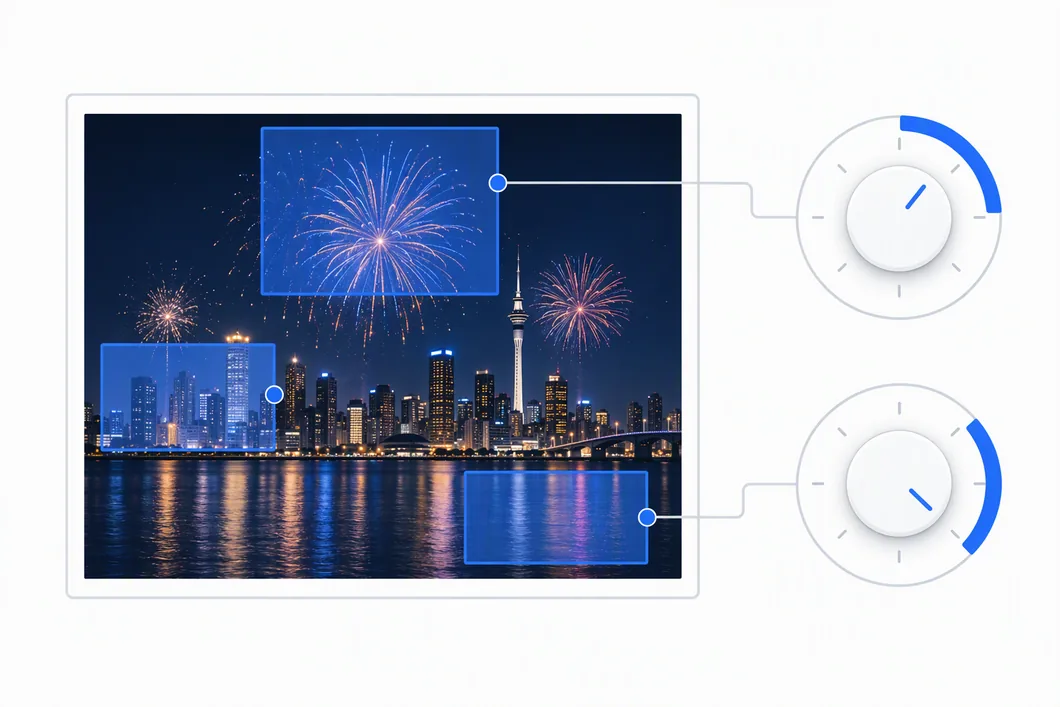
The 336-character line below is the fireworks frame at 640 × 360, longest setting, on the 192 × 192 grid, with the two quality tags sitting where the composer pins them:
masterpiece, best quality, widescreen 16:9 composition, dark, low-key lighting, dominant
palette of navy, grey, slate, silver, vivid, saturated colour, cool blue colour temperature,
medium contrast, highly detailed with intricate texture, light falling on the centre with
darker edges, brighter upper half, moody and dramatic atmosphere
That is 336 characters, 45 words, 16 commas, and zero full stops. Run it through the weight parser in the same repository and every one of its seventeen terms comes back at weight 1:
$ node tools/weight-syntax.js "<the line above>" --check
all weights inside 0.4–1.6
The shape comes from src/compose.js: the Stable Diffusion branch takes the same slot list Midjourney gets, splices the colour line in at index 2, and prepends 'masterpiece, best quality, '. There is no aspect parameter and no trailing flag — the whole line is tags.
Seventeen terms, twelve slots, two of which are not about your picture
Below is the line above broken into exactly the units the parser sees, with the slot each unit was generated to fill. Note that the numbering is not the slot numbering — three slots expand into several units because the phrases themselves contain commas.
| # | Term | Words | Weight | Slot it fills |
|---|---|---|---|---|
| 1 | masterpiece | 1 | 1 | quality tag — fixed text |
| 2 | best quality | 2 | 1 | quality tag — fixed text |
| 3 | widescreen 16:9 composition | 3 | 1 | framing |
| 4 | dark | 1 | 1 | exposure |
| 5 | low-key lighting | 2 | 1 | exposure |
| 6 | dominant palette of navy | 4 | 1 | palette — colour 1 of 4 |
| 7 | grey | 1 | 1 | palette — colour 2 of 4 |
| 8 | slate | 1 | 1 | palette — colour 3 of 4 |
| 9 | silver | 1 | 1 | palette — colour 4 of 4 |
| 10 | vivid | 1 | 1 | saturation |
| 11 | saturated colour | 2 | 1 | saturation |
| 12 | cool blue colour temperature | 4 | 1 | temperature |
| 13 | medium contrast | 2 | 1 | contrast |
| 14 | highly detailed with intricate texture | 5 | 1 | detail |
| 15 | light falling on the centre with darker edges | 8 | 1 | lighting distribution |
| 16 | brighter upper half | 3 | 1 | vertical lighting |
| 17 | moody and dramatic atmosphere | 4 | 1 | mood |
Terms 1 and 2 are 27 characters, including the trailing comma and space, and they are identical in every line the tool produces for every picture. Terms 3 to 17 are the measurement. That 27-character head is not a fixed percentage of the line, because the line grows and the head does not:
| Image | Length | Line (chars) | Prefix | Prefix share | First fragment after it |
|---|---|---|---|---|---|
| night-fireworks | short | 180 | 27 | 15.0% | widescreen 16:9 composition |
| night-fireworks | medium | 284 | 27 | 9.5% | widescreen 16:9 composition |
| night-fireworks | long | 336 | 27 | 8.0% | widescreen 16:9 composition |
| strong-backlight | short | 175 | 27 | 15.4% | widescreen 16:9 composition |
| strong-backlight | medium | 256 | 27 | 10.5% | widescreen 16:9 composition |
| strong-backlight | long | 308 | 27 | 8.8% | widescreen 16:9 composition |
| text-screenshot | short | 184 | 27 | 14.7% | widescreen 16:9 composition |
| text-screenshot | medium | 252 | 27 | 10.7% | widescreen 16:9 composition |
| text-screenshot | long | 283 | 27 | 9.5% | widescreen 16:9 composition |
So the two front positions — the ones that carry the most weight in a checkpoint that reads left to right — are spent on 27 characters that would be the same for a photograph of a cat. On the shortest lines that is one seventh of everything you paste; on the longest it is under a twelfth. Strip the prefix and the first fragment is always the framing phrase, in all nine cases above.
Ten slots, seventeen terms: the commas inside the phrases
The composer builds a fixed list of slots. The parser splits on commas and nothing else. Those two counts disagree, because three of the phrases the composer writes already contain a comma of their own — the exposure phrase, the palette line, and the saturation phrase. The palette line is the worst of them: it ships four colour names separated by commas, so it arrives as four separate weighted units instead of one.
| Image | Length | Slots | Parser terms | Extra units | Slots containing a comma |
|---|---|---|---|---|---|
| night-fireworks | short | 7 | 12 | +5 | exposure, palette, saturation (5) |
| night-fireworks | medium | 10 | 15 | +5 | exposure, palette, saturation (5) |
| night-fireworks | long | 12 | 17 | +5 | exposure, palette, saturation (5) |
| strong-backlight | short | 7 | 12 | +5 | exposure, palette, saturation (5) |
| strong-backlight | medium | 10 | 15 | +5 | exposure, palette, saturation (5) |
| strong-backlight | long | 12 | 17 | +5 | exposure, palette, saturation (5) |
| text-screenshot | short | 7 | 11 | +4 | exposure, palette (4) |
| text-screenshot | medium | 10 | 16 | +6 | exposure, palette, contrast, detail (6) |
| text-screenshot | long | 11 | 17 | +6 | exposure, palette, contrast, detail (6) |
The last two rows are the interesting pair. The screenshot is the only one of the three whose saturation phrase is moderately saturated colour, with no comma in it, so its short line gains four units rather than five. At the two longer settings its contrast phrase (soft, low contrast) and detail phrase (clean and minimal, smooth surfaces) both carry commas too, and it overtakes the others at six. The extra count is a property of which English phrases the thresholds selected, not of the image.
Where a weight you type actually lands
Seven edits to the 336-character line above, each run through the real parser. The “normalised” column is --to explicit, which rewrites every term with an explicit numeric weight.
| Edit | In (chars) | Normalised (chars) | What the parser reads |
|---|---|---|---|
| none | 336 | 336 | all 17 terms at 1 |
(dominant palette of navy, grey, slate, silver) | 338 | 360 | four terms at 1.1 — (dominant palette of navy:1.1), (grey:1.1), (slate:1.1), (silver:1.1) |
(dominant palette of navy:1.3) | 342 | 342 | only dominant palette of navy at 1.3; grey, slate and silver stay at 1 |
(((widescreen 16:9 composition))) | 342 | 343 | 1.33 |
(widescreen 16:9 composition:1.3) | 342 | 342 | 1.3 — the colon inside the phrase does not confuse the parser |
((widescreen 16:9 composition:1.3)) | 344 | 343 | 1.43 — the outer bracket multiplies an explicit weight |
[widescreen 16:9 composition] | 338 | 343 | 0.91 |
[masterpiece, best quality] | 338 | 350 | two terms at 0.91, everything after them unchanged |
Row two and row three are the pair worth reading twice. Wrapping the whole colour line in one pair of brackets does what you meant: all four colour names come back at 1.1. Writing (dominant palette of navy:1.3) by hand — which looks like the same gesture — puts 1.3 on a four-word stub that ends at the first comma, and leaves the other three colours at plain 1. The normalised form is byte-identical to the input in that case, 342 characters in and 342 out, which is exactly why it is easy to miss.
$ node tools/weight-syntax.js "masterpiece, best quality, widescreen 16:9 composition, dark, low-key lighting, (dominant palette of navy:1.3), grey, slate, silver, ..."
      1  masterpiece
      1  best quality
      1  widescreen 16:9 composition
      1  dark
      1  low-key lighting
    1.3  dominant palette of navy
      1  grey
      1  slate
      1  silver
The round trip is the other thing worth knowing. Run the untouched line through --to explicit and you get the line back — 336 characters in, 336 characters out, identical. That held for all nine lines in the table above, not just this one. It is the proof that the generated shape is already valid syntax and needs no normalisation before you use it; any change in length after normalisation means something in the line carries a weight other than 1.
The four shapes through the same checker
One picture, one length, four target formats, same parser:
| Shape | Chars | Parser terms | Out of range |
|---|---|---|---|
| midjourney | 319 | 15 | 1 — moody and dramatic atmosphere --ar 16 at weight 9 |
| sd | 336 | 17 | 0 |
| flux | 273 | 7 | 0 |
| dalle | 219 | 10 | 0 |
The Midjourney failure is not a Stable Diffusion problem, but it explains why the Stable Diffusion line is the comfortable one to work with: it is the only shape that is written in this syntax and survives the checker without you stripping anything first. Its seventeen terms are also the most of the four — more than twice the seven the sentence-shaped Flux line produces from the same picture — so it gives you the most places to hang a weight.
Two things the line never does
It never joins two concepts with AND. Across all thirty-six outputs — three images, four shapes, three lengths — the string AND appears zero times. The parser has no special case for the word either, which is worth knowing if you add it yourself: without a comma it is one term, with commas around it the word becomes a term of its own.
$ node tools/weight-syntax.js "cat AND dog"
      1  cat AND dog
$ node tools/weight-syntax.js "cat, AND, dog"
      1  cat
      1  AND
      1  dog
It never carries an aspect instruction. The framing phrase in slot 3 is the only thing in the line that mentions proportions, and it is English, not a dimension — the width and height you feed a checkpoint are set outside the prompt entirely. That is the single biggest difference from the Midjourney version of the same line, which appends a computed parameter. The other two shapes go further in the opposite direction: the Flux prompt built from the same picture is a run of sentences with full stops and no parameters at all, which is why a weight typed into it lands on whole sentences rather than on single terms.
If the line is going into a node graph rather than a plain prompt box, one more thing changes: the parser on the other side counts differently. A comma ends a term here and means nothing there — see what a ComfyUI prompt does with this same line before you paste it.
Working the seventeen terms
- Ship the first render unchanged. Nine of nine lines pass the 0.4–1.6 check with every term at 1.0, so what you get on the first picture is the shape working as designed, not a draft to repair.
- Put your own subject at the front, ahead of the quality tags. The generated line spends its two strongest slots on fixed text. If you know what the picture is of, that word belongs before
masterpiece, not aftermoody and dramatic atmosphere. - Weight the whole colour line, not one word of it. One pair of brackets around all four colour names gets you four terms at 1.1. A weight typed after the first colour gets you one quarter of the palette.
- Count the commas before you trust a weight. Seventeen weighted units come from twelve slots. Three of the phrases carry their own commas, so the term you think you are emphasising may end at one of them.
- Add the negative yourself. Nothing in this tool emits one — searching the whole source for the word returns no hits. The negative is the half of a Stable Diffusion prompt you write by hand.
What the seventeen terms get asked
Four “People also ask” boxes, captured on 2026-09-19 and kept here as serp_ai_image_generator_prompt.html, serp_ai_image_prompt_generator.html, serp_ai_image_prompt.html and serp_image_prompt_generator.html. The answers are counts on the seventeen terms above, or on the same line at another length.
How do I write a prompt for AI image generator?
For Stable Diffusion the tool already does the ordering: two quality tags are pinned into the two strongest slots, ten measured slots follow in a fixed sequence, and every term ships at weight 1.0. What is left for you is the part no measurement can know — the subject noun, which goes first — and then leaving the measured phrases alone unless you can name the number that produced them.
What are some good prompts for AI image generation?
This is that fireworks frame as the composer wrote it, tags and all, nothing removed: masterpiece, best quality, widescreen 16:9 composition, dark, low-key lighting, dominant palette of navy, grey, slate, silver, vivid, saturated colour, cool blue colour temperature, medium contrast, highly detailed with intricate texture, light falling on the centre with darker edges, brighter upper half, moody and dramatic atmosphere — 336 characters, 45 words, 16 commas, zero full stops, seventeen terms all sitting at weight 1.
What is the best prompt to image AI?
The one whose measured slots match your picture, which usually means cropping and re-measuring rather than rewriting by hand: the wording is arithmetic on the file, so editing a phrase replaces evidence with opinion. When a phrase is wrong for your subject, crop and run it again; when no crop fixes it, say the subject yourself at the front of the line.
How to create an image prompt?
Point an image to prompt tool at the file and pick the Stable Diffusion shape: it measures the picture on a 192 × 192 grid inside your browser — the file never leaves the machine — and writes back one comma list, two quality tags pinned at the front, ten measured slots behind them, no weights anywhere. Put your subject noun at the front and it is ready to paste.
The bracket arithmetic behind those numbers is on how to weight a prompt and write a negative; what an image to prompt tool measures takes the twelve slots one at a time; getting a usable AI image prompt from a picture puts the four shapes side by side with a downloadable table; and which images it handles badly is where this approach stops working.